Graphing Multi-ROIs
The graphing option for multi-ROIs provides an opportunity to investigate the inter-relationship between connected components. To create a graph of a multi-ROI, right-click the item in the Data Properties and Settings and then choose Create Graph from Connectivity in the pop-up menu. Graphs of multi-ROIs, in which the centroid of adjacent objects are linked, can be examined in 3D views as shown below.
Graph of multi-ROI segments

Graph settings, as well as information about the graphed objects, are available on the Data Properties and Settings panel and in the Measurement Inspector (see Evaluating Graphs with the Measurement Inspector), You can do the following in the Data Properties and Settings panel and in the Measurement Inspector:
- Adjust the radius of spheres representing the centroid of each connected component, as well as their connectors.
- Apply different LUTs to ports and adjust measurement ranges by filtering minimum and maximum values in the Measurement Inspector.
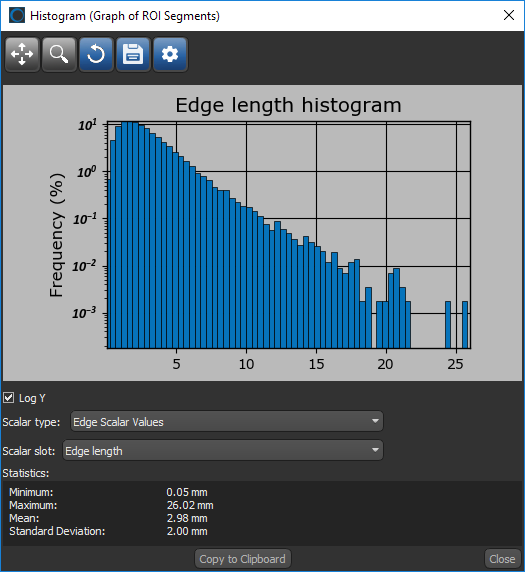
- Plot histograms of selected measurements, as shown below.
- Export results to a comma-separated values file (*.csv extension).

 LEARNING LINKS

